A Redmi 9A and a Galaxy Tab 2 debloated with Claude: the numbers before and after
A weekend spent slimming down a budget phone and a 2012 tablet with Claude Code: what the measurements say, and what the agent broke on its own and then fixed.
This weekend, I dug out two devices that had become painfully slow: a Xiaomi Redmi 9A and a 2012 Samsung Galaxy Tab 2 7.0. The idea: use AI to strip out the ads and the heavy apps, and give them a second life. Claude Code drove everything from my Mac, over USB. I followed its analysis and told it which way to go.
Without AI, I wouldn’t have done it, out of laziness, let’s be honest! Technically, changing a firmware and tweaking settings isn’t hard. What AI brings above all is speed and surgical precision: it pinpoints exactly where performance drops, and it comes up with relevant suggestions in record time. And you learn things along the way.
Here are the numbers.
On the system side, the tablet went from its original Android 4.1.2 to LineageOS 14.1 (Android 7.1.2), in an unofficial build.
# The Redmi: 23 fewer apps, 37 packages switched off
The Redmi 9A has 1.86 GB of RAM, a Helio G25 and MIUI 12.5.5 on Android 11. My starting goal: understand why it was so slow, and debloat it.
First sweep: 23 preinstalled apps removed (Facebook, Amazon, Netflix, LinkedIn, games…) and 37 system packages disabled. Every change has its own rollback script. After a reboot, free RAM goes from 604 to 933 MB, used swap from 577 to 43 MB, and running services from 103 to 31.
MIUI doesn’t give in easily. Any write to the settings from the shell is refused until you sign in to a Mi account and turn on a second setting, “USB debugging (Security settings)”. And the script itself had a bug: adb shell swallowed the loop’s standard input, so only the first package of each list was processed. Adding </dev/null to the call fixed it.
# Second round: fewer pixels, same screen
« Pas mal ! » [Not bad!] So I asked whether we could go further. Second round: a cap on background processes, autostart turned off, the Play Store restricted in the background, face unlock turned off.
The phone still stuttered a lot, and I was starting to consider installing LineageOS on it. But Xiaomi first imposes a 168-hour wait before the bootloader can be unlocked, with its tool that only runs on Windows. In the meantime, we carried on with MIUI.
Then the resolution. The screen is rendered at 540 × 1200 instead of 720 × 1600, with the density lowered in the same proportion (240 instead of 320). Lowering only the size would have made the whole interface bigger. By lowering the density too, the logical space stays the same: the home screen grid and the dock stay exactly where they were, but 44% fewer pixels are drawn on every frame. That’s less work for the GPU of a Helio G25.
For the intended use, giving up resolution isn’t a problem. An old device brought back to life as a spare doesn’t need cutting-edge quality. What it needs is to be responsive, fast and usable.
# The tablet: LineageOS 14.1 from a Mac
The Galaxy Tab 2 has an OMAP4430, 1 GB of RAM and Android 4.1.2 out of the box. There is no official LineageOS 14.1 for it, only unofficial builds maintained by a community developer. The agent flashed everything from the Mac, with Heimdall and TWRP.
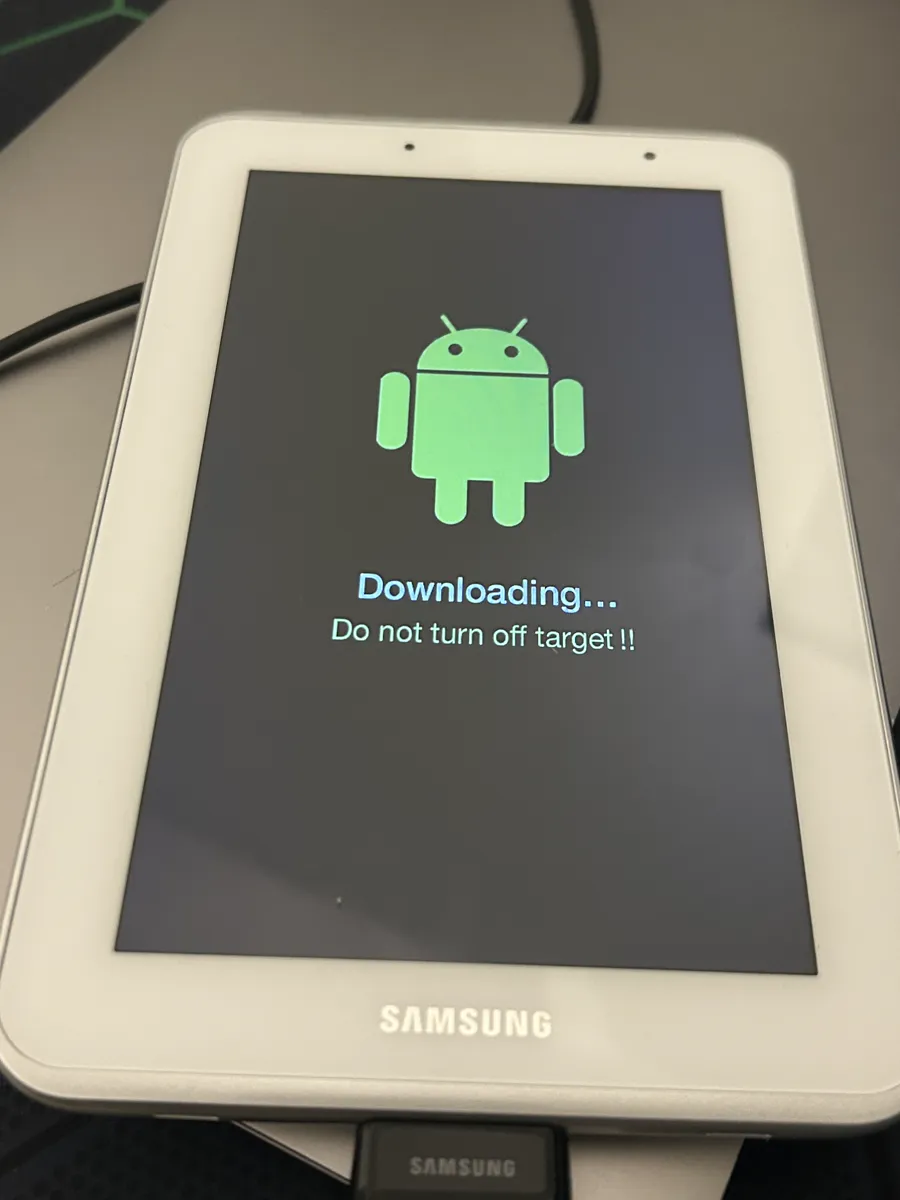
The tablet in download mode, ready to receive TWRP through Heimdall.
LineageOS booted. Even before the flash, I had asked it to debloat the tablet as much as possible. The first launch crawled to the point of being nearly unusable, and even rooted, the tablet was still impractical.
# When the agent debloats a bit too hard, notices, and fixes it
The agent eventually found two causes. The first came from itself: its debloat had disabled the print spooler, and system_server kept trying to bind to it, every attempt ending in a timeout. The second came from the ROM: the sensor driver ran nonstop with zero clients.
| Tablet | Before | After |
|---|---|---|
system_server (jiffies over 6 s) | 1,608 | 86 |
| Free RAM | 21 MB | 234 MB |
| CPU busy | 50% | 35% |
| Load (5 min) | 2.99 | 1.34 |
It re-enabled the spooler and neutralized the sensor driver.
Now, after this debloat, it’s fully usable, and even much faster than when it was new! Its main job will be to serve as a Home Assistant screen, but it could be used for plenty of other things.
# Hardware that isn’t so outdated
On X, I’ve been seeing dozens of posts on the subject every day for two weeks, mostly about TVs. It’s quite a setback for the manufacturers who stuffed all these devices with bloatware. I think we’re going to see a real revival of so-called “outdated” hardware, which actually isn’t outdated at all: it was just crushed under a pile of bad software.
And there will be surprises. A security researcher, puzzled by oddly targeted ads, says they got root access to their own 2025 Samsung TV, and found a privacy horror there.
# And the two robot vacuums for the road
That same weekend, I also brought two old Roborocks back into service. On the first one, the agent installed Valetudo, a free firmware that runs the robot locally, without the manufacturer’s cloud, then hooked it up to Home Assistant, all in 15 minutes. There too, I got into it because I knew AI would be fast. Without it, I wouldn’t have done it.
The second vacuum shuts down as soon as it leaves its dock, even after a full night of charging. The battery is dead. That’s where AI can’t do anything…
# Links
- Claude Code, the agent that drove everything
- LineageOS, the free operating system installed on the tablet
- Unofficial LineageOS 14.1 builds for the Galaxy Tab 2, on AndroidFileHost
- Heimdall, the flashing tool for Samsung devices, usable on a Mac
- TWRP, the recovery
- Mi Unlock, Xiaomi’s bootloader unlock tool
- Home Assistant, the home automation the tablet will display
- Valetudo, the free firmware for the vacuums
- The post about the Samsung TV, on X